Common Coding Mistakes Beginners Make And How to Avoid Them
A practical guide to the most common coding mistakes beginners make and simple ways to avoid them while building stronger programming skills.
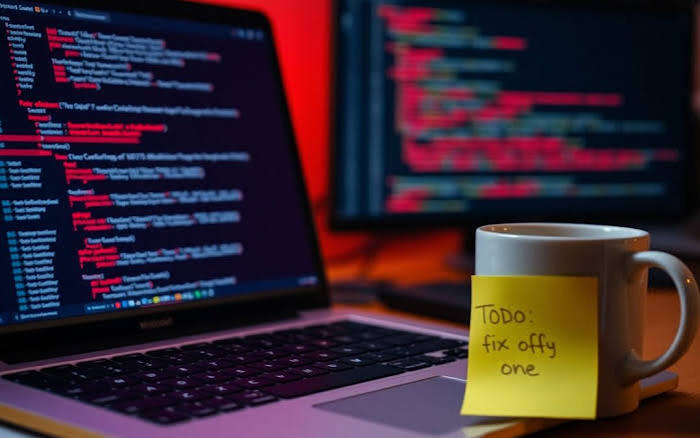
Learning to code can be an exciting and rewarding experience. Whether you are studying computer science, building your first website, exploring app development or simply trying to understand how technology works, coding gives you the ability to turn ideas into working solutions.
However, learning to code is rarely a straightforward process. Beginners often encounter the same challenges: confusing error messages, missing brackets, poorly structured code, variables that do not behave as expected and programmes that work perfectly one moment and suddenly stop working the next.
The good news is that making mistakes is not a sign that you are bad at programming. In fact, mistakes are an essential part of learning to code. Even experienced developers regularly encounter bugs and errors. The difference is that experienced programmers have developed techniques for identifying, understanding and fixing those problems.
For beginners, the key is not to avoid every mistake. Instead, it is to understand the most common mistakes, learn why they happen and develop good habits that make them easier to prevent and solve.
Here are some of the most common coding mistakes beginners make — and how you can avoid them.
1. Trying to Learn Everything at Once
One of the biggest mistakes beginners make is trying to learn too much too quickly.
Programming contains a huge number of concepts, languages, frameworks, tools and technologies. A beginner might start with Python, then become interested in JavaScript, HTML, CSS, SQL, artificial intelligence, app development and cybersecurity all at once.
This can quickly become overwhelming.
Instead of trying to learn everything, choose one programming language and focus on understanding its fundamentals. For example, Python is often a good starting point because its syntax is relatively easy to read. JavaScript can be a useful choice for people interested in web development.
Whichever language you choose, focus initially on concepts such as:
- Variables
- Data types
- Conditional statements
- Loops
- Functions
- Lists and other data structures
- Error handling
- Basic debugging
- Reading and writing files
Once you understand these fundamental ideas, learning another language becomes considerably easier because many programming concepts are transferable.
How to avoid it
Create a realistic learning plan. Rather than asking yourself, "How can I learn programming?", ask a more specific question such as, "How can I learn the basics of Python over the next eight weeks?"
Breaking a large goal into smaller milestones makes progress easier to measure and reduces the temptation to jump between unrelated technologies.
2. Copying Code Without Understanding It
Search engines, tutorials and AI tools have made it easier than ever to find examples of code.
This can be extremely useful, but it also creates a common problem: beginners sometimes copy code without understanding what it actually does.
A programme may work, but if you do not understand why it works, you will struggle when something changes.
For example, imagine finding a piece of code that successfully reads information from a file. You copy it into your project and it works. Later, you need to read a different type of file or process the information differently. Suddenly, you are unsure which part of the code needs changing.
Using examples is completely normal. Professional developers also use documentation, forums, libraries and existing code. The important distinction is between using code as a learning resource and blindly copying code.
How to avoid it
Whenever you use code from a tutorial or another source, stop and ask:
- What does each section of this code do?
- What information is being passed into the function?
- What does the function return?
- Why is this variable necessary?
- What would happen if I changed this value?
- Can I explain this code without looking at the original example?
A useful exercise is to rewrite the example yourself after studying it. You will often discover that understanding the code is more valuable than simply getting it to run.
3. Ignoring Error Messages
Error messages can look intimidating when you are new to programming.
You might see a screen filled with technical terminology and immediately think, "My code is broken."
But error messages are actually one of the most useful resources available to programmers.
An error often tells you what went wrong and, importantly, where the problem occurred.
For example, an error might indicate that a variable has not been defined, a file cannot be found or a function has received the wrong type of information.
Beginners sometimes immediately delete the problematic section or search for the entire error online without reading it carefully.
How to avoid it
Get into the habit of reading error messages from beginning to end.
Look for:
- The type of error.
- The file where it occurred.
- The line number.
- The specific explanation provided.
- The code around that location.
You do not need to understand every word immediately. Start by identifying the most useful information.
Over time, error messages become less frightening and more like clues.
4. Not Testing Code Frequently Enough
Another common mistake is writing a large amount of code before running it.
A beginner might spend an hour creating an entire programme and only then discover that something does not work.
At that point, there could be dozens of possible sources for the problem.
A better approach is to test your code regularly.
If you are building a feature, write a small section, run it and check that it behaves as expected. Then add another section and test again.
This approach makes debugging significantly easier because you have fewer possible causes when something goes wrong.
How to avoid it
Think of programming as a cycle:
Write → Run → Test → Identify problems → Fix → Repeat
Do not wait until the end of a project to discover whether your code works.
Frequent testing also helps you understand how your programme behaves, which is particularly important when working with unfamiliar concepts.
5. Using Poor Variable Names
Variable names might seem like a minor detail, but they can have a major impact on how easy code is to understand.
Consider these examples:
x = 25
y = 100
z = x * y
The code might work, but it is difficult to understand what x, y and z represent.
Compare it with:
price = 25
quantity = 100
total_cost = price * quantity
The second version communicates its purpose much more clearly.
Good variable names make code easier to read, debug and maintain.
How to avoid it
Choose descriptive names that explain what the information represents.
Instead of:
xdata1thingtempabc
consider:
customer_nameproduct_pricetotal_salesemail_addressorder_quantity
There are situations where short names are appropriate, such as a simple loop counter, but descriptive names should generally be preferred.
6. Forgetting That Computers Are Extremely Literal
Humans are good at understanding context.
Computers are not.
If you make a small mistake in your instructions, a computer will not automatically understand what you meant.
A missing quotation mark, incorrect bracket or incorrectly spelt variable name can cause a programme to fail.
This is one of the reasons coding can feel frustrating initially. The difference between working and non-working code can sometimes be a single character.
How to avoid it
Pay close attention to syntax.
Use an editor or integrated development environment (IDE) that highlights brackets, indentation and syntax errors.
Many modern development environments can also automatically detect certain mistakes before you run your programme.
Most importantly, do not become discouraged when a tiny error causes a large problem. This is a normal part of programming.
7. Writing Functions That Do Too Much
Beginners often create very large blocks of code because they are trying to solve an entire problem in one place.
This can make code difficult to understand and maintain.
Functions are useful because they allow you to divide a large problem into smaller tasks.
For example, instead of having one enormous function responsible for registering a customer, validating their information, calculating their order and sending a confirmation email, these tasks could potentially be separated into smaller functions.
Each function can then have a clear purpose.
How to avoid it
When writing a function, ask yourself:
"What is the one main job this function should perform?"
If the answer contains several unrelated tasks, consider splitting the function into smaller pieces.
This makes your programme easier to test and makes individual components easier to reuse.
8. Not Understanding Data Types
Data types are fundamental to programming, yet they can cause significant confusion for beginners.
A programming language may treat numbers, text and Boolean values differently.
For example:
age = 20
stores a number, while:
age = "20"
stores text.
Although they look similar to a human, the computer treats them differently.
Trying to perform mathematical calculations using text can therefore lead to unexpected results or errors.
How to avoid it
Learn the basic data types supported by the language you are using.
In Python, for example, beginners should become familiar with types such as:
- Strings
- Integers
- Floats
- Booleans
- Lists
- Dictionaries
- Tuples
- Sets
You should also learn how to convert between compatible types when necessary.
Understanding data types early will save you a great deal of confusion later.
9. Neglecting Version Control
Version control might sound like an advanced concept, but beginners can benefit from learning it early.
Version control systems allow developers to track changes to their code over time. One of the most widely used systems is Git.
Without version control, you might make a major change to your project and then realise that you need the previous version. If you have simply overwritten your files, recovering the earlier version may be difficult.
With version control, you can keep a history of your changes and return to previous versions when necessary.
How to avoid it
Learn the basics of Git once you are comfortable with fundamental programming concepts.
You do not need to become an expert immediately. Start with concepts such as:
- Repositories
- Commits
- Branches
- Pulling changes
- Pushing changes
- Merging
Platforms such as GitHub can also help you organise projects and build a portfolio that demonstrates your skills.
10. Not Asking for Help
Programming can sometimes feel like an individual activity, but developers rarely work completely alone.
Beginners sometimes spend several hours trying to solve a problem because they are worried that asking for help means they are not good enough.
It does not.
Being able to ask a clear technical question is an important programming skill.
The key is to avoid simply saying, "My code doesn't work."
Instead, explain:
- What you are trying to achieve.
- What you expected to happen.
- What actually happened.
- What you have already tried.
- The relevant error message.
This gives other people enough information to help you effectively.
How to avoid it
Use reliable resources such as official documentation, programming communities, books, courses and experienced developers.
If you use AI tools for coding assistance, treat them as support rather than a replacement for understanding. Ask the tool to explain why something works and compare its suggestions with official documentation.
11. Failing to Back Up Your Work
Imagine spending several weeks creating a project and then losing everything because your laptop fails.
It is an avoidable problem, but beginners sometimes forget about backups.
Important projects should not exist in only one location.
How to avoid it
Use version control and appropriate cloud storage where possible.
Regular commits to a remote repository can provide an additional layer of protection for your projects.
You should also avoid storing sensitive information, such as passwords or private access keys, directly in publicly accessible code repositories.
12. Writing Code That Is Too Complicated
Beginners sometimes believe that complicated code is a sign of advanced programming.
In reality, good code is often simpler than unnecessary complexity.
If a problem can be solved with ten understandable lines of code, creating fifty complicated lines does not necessarily make the solution better.
Simple code is generally easier to read, test and maintain.
How to avoid it
When you have a working solution, ask yourself whether it can be simplified without reducing its functionality.
This does not mean you should always write the shortest possible code. Readability is more important than simply reducing the number of lines.
A useful principle is:
Write code for humans first and computers second.
The computer needs to execute your instructions, but other people — including your future self — may need to understand them.
13. Focusing Too Much on Memorisation
Programming is not a memory test.
You do not need to memorise every function, command or piece of syntax.
Professional developers regularly consult documentation.
What matters more is understanding programming concepts and knowing how to find reliable information when you need it.
For example, it is more useful to understand how loops work than to memorise every possible variation of loop syntax.
How to avoid it
Focus on understanding rather than memorisation.
Learn what a particular concept is used for, when it is appropriate and how it fits into a larger programme.
Then use documentation when you need the exact syntax.
14. Skipping the Fundamentals
With the popularity of artificial intelligence and advanced development tools, it can be tempting to jump straight into advanced topics.
A beginner might want to build an AI application before understanding variables, functions or basic data structures.
This can create problems later.
Advanced technologies are built on fundamental programming concepts. If your foundation is weak, more advanced topics can become much harder to understand.
How to avoid it
Do not rush through the basics.
Spend time understanding:
- Variables
- Conditions
- Loops
- Functions
- Data structures
- Algorithms
- Debugging
- File handling
- Basic software development practices
A strong foundation will make advanced learning much easier.
15. Giving Up Too Quickly
Perhaps the biggest mistake beginners make is assuming that struggling means they are not capable of programming.
Coding can be frustrating. You may spend an hour trying to understand a problem that eventually turns out to be caused by one missing character.
That does not mean you are failing.
Problem-solving is a major part of programming, and becoming comfortable with difficult problems takes time.
How to avoid it
Treat mistakes as part of the learning process.
Instead of asking:
"Why am I so bad at coding?"
try asking:
"What is this error teaching me?"
Keep a record of problems you encounter and how you solved them. You may be surprised by how often the same concepts appear in future projects.
How to Become a Better Programmer
Avoiding mistakes is useful, but developing good habits is even more important.
A strong beginner programmer should aim to:
Practise consistently
Thirty minutes of focused practice several times a week can be more effective than spending an entire weekend coding once a month.
Build projects
Tutorials can teach you concepts, but projects force you to apply those concepts.
Start small. Build a calculator, a simple website, a to-do list, a budgeting tool or another project that interests you.
Read other people's code
Reading well-written code can help you learn how experienced developers structure their programmes.
Learn to debug
Do not view debugging as something separate from programming. Debugging is programming.
Use documentation
Learning how to navigate official documentation is one of the most valuable skills you can develop.
Review your own code
After completing a project, look back at your code and ask yourself what you would do differently.
Over time, you will begin to recognise patterns in your own mistakes.
Final Thoughts
Making mistakes is unavoidable when learning to code. From missing brackets and confusing data types to poorly structured functions and misunderstood error messages, every beginner will encounter problems.
The goal is not to write perfect code from the beginning.
The goal is to become better at understanding problems, identifying mistakes and finding solutions.
Start with the fundamentals, practise regularly and avoid relying on code that you do not understand. Test your work frequently, use descriptive variable names and learn how to read error messages. Do not be afraid to ask questions, use documentation or seek assistance when you are stuck.
Most importantly, remember that experienced developers were once beginners too. The difference between someone who eventually becomes comfortable with coding and someone who gives up is often not natural talent, but patience, consistency and a willingness to keep solving problems.
Every error message is an opportunity to learn something new. Every bug you fix adds to your experience. And every project you complete gives you another piece of practical knowledge that you can carry into the next one.
If you are just starting your coding journey, do not worry about knowing everything. Choose one language, learn the basics, build something small and keep experimenting.
The more you practise solving problems, the more natural programming will become.